
Mastering Excel 365 - Advanced Part 8: Sharing
- Product ID
- bbrnmead8_vod
- Training Time ?
- 40 to 42 minutes
- Language(s)
- English
- Video Format
- High Definition
- Required Plugins
- None
- Number of Lessons
- 7
- Quiz Questions
- 2
- Question Feedback
- Wrong Answer Remediation
- Lesson Bookmarking
- Downloadable Resources
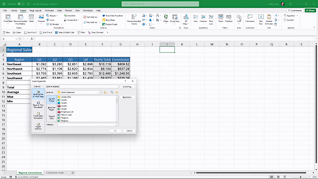

Microsoft Excel 365 makes it easy to share and work with spreadsheets, but it also includes features that can help you manage access, protect information, and make workbooks easier for everyone to use. This online training helps learners understand Excel’s sharing and protection features and how they can be used to manage and secure workbook content.
The course covers tools such as the Accessibility Checker, hyperlinks, sheet and workbook protection, protected ranges, and digital signatures. Learners will also explore Sheet Views and how they can help users work with shared spreadsheets without changing the way others see the workbook.
By completing this training, learners will gain a better understanding of Excel 365 sharing features and how to use them effectively. They will learn how to help protect important information, improve accessibility, and make it easier for teams to work with shared workbooks.
 This course is in the Video On Demand format, to read about Video On Demand features click here.
- Full-screen video presentation
- Print certificate and wallet card
- You have 30 days to complete the course
Microsoft Excel 365 users who already have experience with the application
- Accessibility Checker
- Modifying Hyperlinks
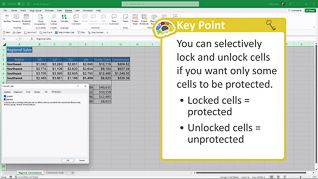
- Protecting Sheets And Workbooks
- Protecting Ranges
- Protecting A Workbook File
- Digital Signatures
- Sheet Views
© Mastery Technologies, Inc.

