
Mastering Excel 365 - Intermediate Part 2: Workbook Views

- Product ID
- bbrnmein2_vod
- Training Time ?
- 17 to 19 minutes
- Language(s)
- English
- Video Format
- High Definition
- Required Plugins
- None
- Number of Lessons
- 3
- Quiz Questions
- 2
- Question Feedback
- Wrong Answer Remediation
- Lesson Bookmarking
- Downloadable Resources
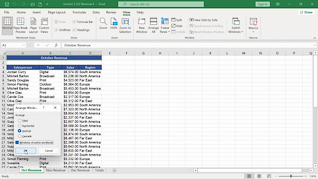
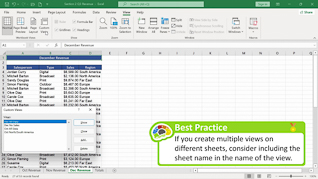

As Excel 365 users become familiar with this robust spreadsheet application, they discover that there are additional features that will be even more useful, once they understand how to use them. This course assists users in learning about workbook views.
As Intermediate Part 2 of the Mastering Excel 365 series, this course opens with an overview of Freeze and Split Windows. Maintaining its conversational teacher-learner format, this course provides occasional pop-up screens that summarize what is being demonstrated and includes best practice tips. Upon completing the three topics in this course – Freeze And Split Windows; Workbook Views; Custom Views – users will confidently begin to use these Workbook Views features that they likely didn’t understand or know how to access.
Use this course to help users heighten their Excel 365 skills by becoming more comfortable with Excel 365 Workbook Views.
 This course is in the Video On Demand format, to read about Video On Demand features click here.

- Full-screen video presentation
- Print certificate and wallet card
- You have 30 days to complete the course
Employees throughout the organization who use Excel 365
- Freeze And Split Windows
- Workbook Views
- Custom Views
© Mastery Technologies, Inc.

